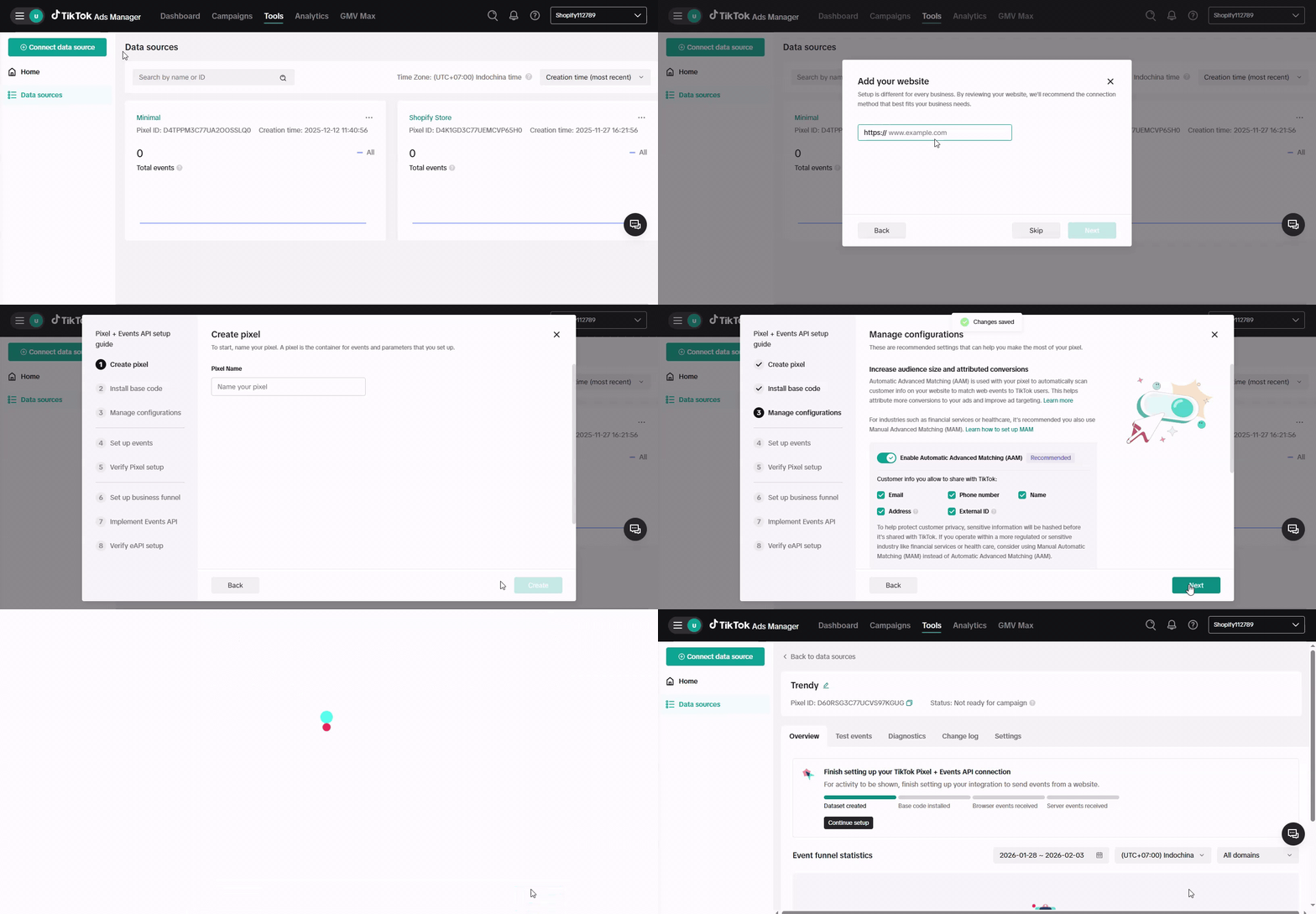
Your TikTok Pixel ID is a unique number that identifies your Pixel in TikTok’s system. You’ll need it to connect your store or app to TikTok for tracking conversions, optimizing ads, and building retargeting audiences.
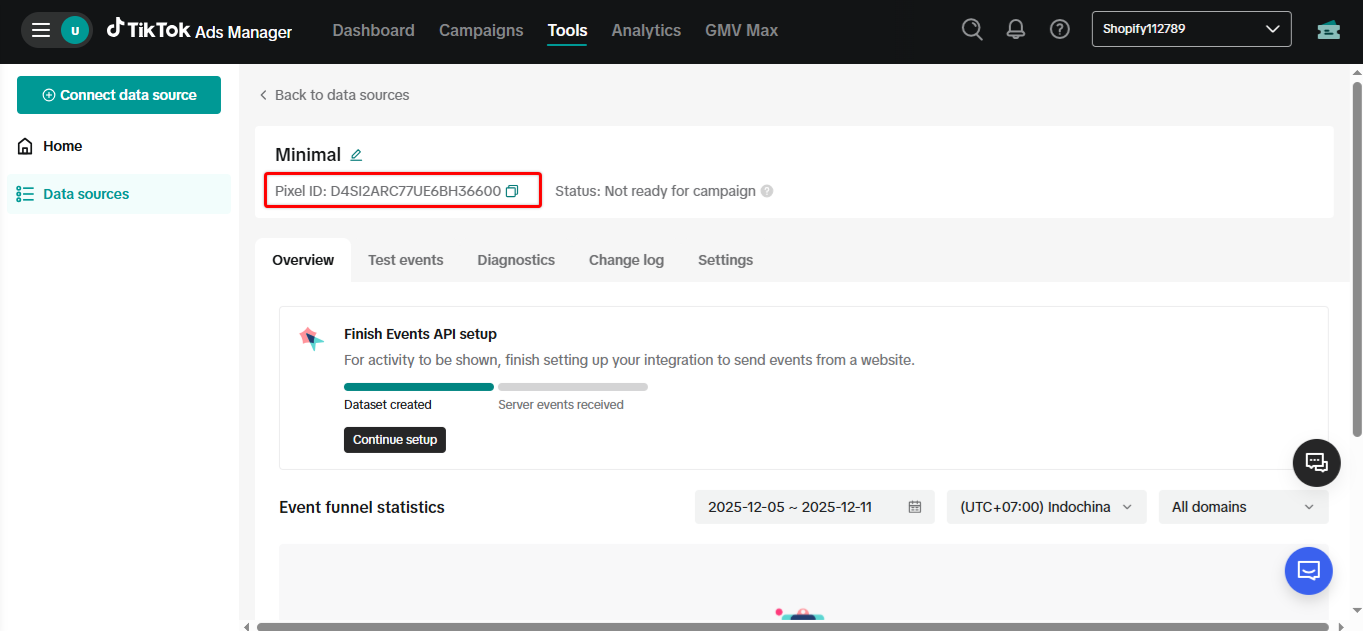
Follow the steps below to find your Pixel ID:
Go to TikTok Events Manager
Click View all datasets, then select the Pixel you want to use
Your Pixel ID appears below the heading (your Pixel Name)
 Tip: If you don’t see any Pixel, create one by following the on-screen steps.